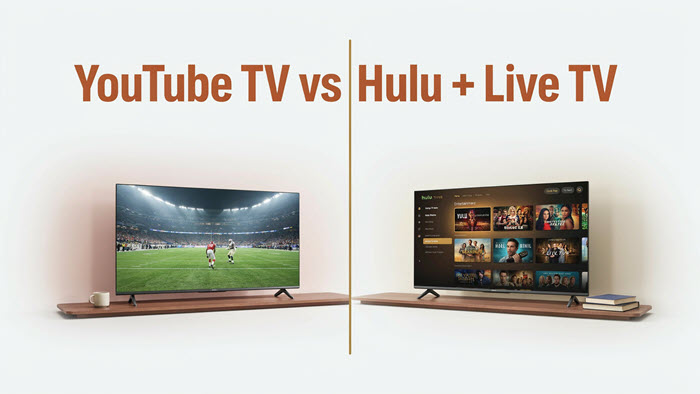
YouTube TV and Hulu + Live TV both replace cable with local channels, major cable networks, live sports, and unlimited cloud DVR, and both run on Amazon Fire TV devices. The right choice depends on what you value most. YouTube TV costs less and includes three streams and multiview on supported Fire TV devices. Hulu + Live TV costs more but bundles the Hulu streaming library, Disney+, and ESPN content into one bill. This comparison covers prices, channels, DVR, streams, and Fire TV support so you can choose with confidence.
What is the main difference between YouTube TV and Hulu + Live TV?
The main difference is value versus bundling. YouTube TV is a lower-priced live TV service with 100+ channels, three streams, and a polished sports experience on Fire TV. Hulu + Live TV costs more, also lists 100+ channels, and includes the Hulu on-demand library, Disney+, and ESPN streaming content, which can replace several separate subscriptions.
Both services cover the essentials that most cord-cutters expect, including local broadcast networks in most markets, popular cable channels, and unlimited DVR. The gap shows up in what surrounds the live channels. YouTube TV focuses on live viewing and recording. Hulu + Live TV works as an entertainment bundle, so its higher price buys a large on-demand catalog in addition to live TV.
Is Hulu + Live TV still available after the Fubo deal?
Yes. Hulu + Live TV is still sold under its own name inside the Hulu app. Disney combined the Hulu + Live TV business with Fubo in a deal completed in October 2025, but the two services remain separate products with separate apps, plans, and pricing. Fire TV users still sign in through the Hulu app.
The combination changed ownership behind the scenes rather than the product you use. Hulu + Live TV continues to include Disney+ and ESPN content in its standard plans, while Fubo stays a distinct service. Prices have changed since the deal, so compare current rates rather than older reviews.
How do YouTube TV and Hulu + Live TV compare side by side?
YouTube TV wins on price, included streams, and documented multiview support. Hulu + Live TV wins on bundled on-demand content and Disney+ access. The table below compares the main plans at the time of writing. Prices exclude taxes and can change.
| Feature | YouTube TV (main plan) | Hulu + Live TV (with ads) |
|---|---|---|
| Base monthly price | $82.99 | $99.99 |
| Channel count | 100+ | 100+ |
| Local channels | Included in most markets | Included in most markets |
| On-demand extras | YouTube TV on-demand library | Hulu library, Disney+, and ESPN Select |
| Cloud DVR | Unlimited, recordings kept for 9 months | Unlimited, recordings kept for up to 9 months |
| Included streams | 3 | 2 |
| Extra streams | Unlimited at home with 4K Plus ($9.99) | Unlimited at home with Unlimited Screens ($9.99) |
| Household members | Up to 6 accounts | Multiple profiles on one account |
| Free trial | Yes, length varies by offer | 3 days for eligible subscribers |
| Contract | None, cancel anytime | None, cancel anytime |
How much do YouTube TV and Hulu + Live TV cost?
At the time of writing, the YouTube TV main plan costs $82.99 per month. Hulu + Live TV with ads costs $99.99 per month, the ad-free on-demand version costs $109.99 per month, and the Live TV Only plan costs $98.99 per month. YouTube TV is about $17 cheaper each month than the standard Hulu + Live TV plan.
What plans does YouTube TV offer?
The main YouTube TV plan includes 100+ channels, unlimited DVR, and three streams. YouTube TV also sells smaller genre plans for sports, news, entertainment, and family channels, which start lower than the main plan. These plans suit you only when a narrow set of channels covers everything you watch.
Common YouTube TV add-ons include these options:
- 4K Plus: $9.99 per month for 4K on select content, unlimited streams at home, and offline mobile recordings.
- Premium networks: Add-on channels such as HBO Max, Paramount+ with Showtime, and Starz for an extra monthly fee.
What plans does Hulu + Live TV offer?
Hulu + Live TV comes in three main English-language plans. The $99.99 plan includes live TV plus Hulu, Disney+, and ESPN Select with ads. The $109.99 plan removes ads from the Hulu and Disney+ libraries. The $98.99 Live TV Only plan drops the Hulu library and Disney+ entirely.
The Live TV Only plan costs only $1 less than the standard plan, so most households get more value from the full bundle. Live TV plans also include access to additional ESPN content in the separate ESPN app. Spanish-language Live TV plans are available at lower prices.
Do free trials and promotions change the math?
YouTube TV regularly offers a free trial and an introductory discount for new members, and the trial length varies by offer. Hulu + Live TV offers a 3-day free trial to eligible subscribers and runs occasional first-month discounts. Both services bill monthly with no contract, so you can cancel before a trial ends.
Budget for the regular price, not the promotional one. For Example, a first-month discount on Hulu + Live TV lowers your first bill, but the plan renews at $99.99 per month unless you cancel.
Which channels and live sports do you get?
Both services carry the major broadcast networks, popular cable entertainment and news channels, and national sports networks. YouTube TV and Hulu + Live TV each list 100+ channels. Local channel availability depends on your ZIP code for both, so check your address before subscribing.
How do local channels work on each service?
Each service delivers ABC, CBS, FOX, and NBC affiliates in most US markets, though a few stations may be missing in smaller areas. Local channels tie to your home area or home network, which is why both services check where you watch. Enter your ZIP code on each service’s channel lookup to confirm your local stations.
Which service is better for live sports?
Both services cover major sports leagues through broadcast networks and national sports channels, including the ESPN networks. Hulu + Live TV adds ESPN Select content inside the Hulu app and ESPN streaming access in the ESPN app. YouTube TV stands out for sports-friendly features such as multiview and key plays, which let you catch up on a game in progress.
Regional sports network coverage varies by service and location. Check the specific regional channel for your area if local team coverage matters to you.
What on-demand content comes with each service?
Hulu + Live TV includes the full Hulu streaming library, Disney+, and ESPN Select content. That bundle covers original series, current-season shows, movies, and family content. YouTube TV includes an on-demand library of shows and movies from your subscribed networks, though it does not include a separate streaming service such as Disney+.
How do the DVR features compare?
Both services include unlimited cloud DVR at no extra cost and keep recordings for up to 9 months. You can record multiple shows at once on either service and fast-forward through your recordings. The difference is in the details, such as how on-demand versions and offline viewing work.
YouTube TV saves recordings to your Library and keeps them for 9 months. With 4K Plus, you can download eligible recordings to a phone or tablet for offline viewing. Each of the up to 6 household accounts gets its own personal DVR library.
Hulu + Live TV stores live TV recordings for up to nine months, and you can fast-forward through recorded content. Unlimited DVR applies to live programming only, so you cannot record titles that are already on demand.
How many people can watch at the same time?
YouTube TV includes three simultaneous streams, and Hulu + Live TV includes two. Each service sells an add-on for $9.99 per month that adds unlimited streams on your home network plus three streams on mobile devices away from home. YouTube TV bundles that upgrade with 4K, while Hulu sells it as a stand-alone add-on.
What home area and travel rules apply?
Both services require you to set a home location, which controls your local channels. YouTube TV asks you to use the service in your home area at least once every three months and lets you change your home area only twice in 12 months. Hulu + Live TV ties your account to a home network and requires location data on mobile devices to access live content.
These rules matter if you split time between two homes. A Fire TV device at a second residence generally counts as out of home, so check each service’s household terms before you plan to use one subscription in two places.
How well does each service work on Fire TV?
Both services offer official apps for most current Fire TV streaming devices and Fire TV smart TVs. YouTube TV documents multiview support and 4K through 4K Plus on Fire TV. Hulu + Live TV supports 4K on select on-demand content and 5.1 surround sound on supported Fire TV models.
Which Fire TV devices support each app?
YouTube TV supports the Fire TV Stick 4K (all versions), Fire TV Stick (2nd and 3rd generations), Fire TV Stick Lite, Fire TV Cube models, and Fire TV Edition smart TVs from brands such as Toshiba, Insignia, Element, and Westinghouse. Hulu supports Amazon Fire TV devices broadly, though the first-generation Fire TV Stick is no longer supported.
Older Fire TV models can lag behind newer ones on demanding features. YouTube TV notes that some older devices, mostly from before 2018, may see fewer customization options or reduced picture quality in multiview. The YouTube TV app also includes a Device Capabilities screen that shows which features your device supports.
How do 4K, HDR, and surround sound compare on Fire TV?
YouTube TV offers 4K on select live and on-demand content with the 4K Plus add-on on 4K-capable Fire TV devices. Hulu + Live TV streams most live channels in up to 720p or 1080p at 60 frames per second, and its 4K and HDR content is limited mostly to select on-demand titles such as Hulu Originals.
For surround sound, both services support 5.1 audio on compatible Fire TV hardware when the program offers it. Hulu lists the Fire TV (3rd generation), Fire TV Cube, and Fire TV Stick 4K for 5.1 Dolby Digital Plus. You may need to enable surround output in your Fire TV audio settings.
Is multiview available on Fire TV?
YouTube TV supports multiview on Fire TV, which lets you watch up to four live streams on one screen. It works best for sports, where preset combinations of live games are offered. Hulu + Live TV does not list multiview among its documented Fire TV features, so YouTube TV is the safer pick when watching several games at once is a priority.
How do the interface and Alexa integration differ?
Fire TV can show channels from supported live TV apps in its Live tab, On Now row, and channel guide, and integrated apps work with Alexa commands such as “Alexa, tune to” a channel name. To see whether your service syncs with the guide, open Settings, select Live TV, and check Sync Sources after you sign in to the app.
Inside the apps, YouTube TV centers on Home, Library, and Live guide tabs, with a clean grid guide and a personal recording library. Hulu blends live TV with its on-demand catalog, which makes it easy to jump from a live channel to a Hulu or Disney+ show, though the app has more sections to browse.
How do the Fire TV features compare side by side?
| Fire TV feature | YouTube TV | Hulu + Live TV |
|---|---|---|
| Official Fire TV app | Yes | Yes |
| Supported devices | Fire TV Stick 2nd Gen and newer, Stick Lite, Stick 4K, Cube, and Fire TV Edition TVs | Most Fire TV devices, except the first-generation Fire TV Stick |
| 4K | Select content with 4K Plus | Select on-demand titles |
| Live channel quality | Up to 4K on select content with 4K Plus | Up to 720p or 1080p at 60 fps |
| 5.1 surround sound | Supported on compatible devices | Fire TV 3rd Gen, Cube, and Stick 4K |
| Multiview | Yes, up to four streams | |
| Unlimited streams at home | With 4K Plus | With Unlimited Screens |
Which service should you choose?
Choose YouTube TV if you want the lowest price for a full live lineup, more included streams, and the best sports features on Fire TV. Choose Hulu + Live TV if you would otherwise pay for Hulu, Disney+, and ESPN streaming separately, since the bundle can lower your total monthly cost.
Who should pick YouTube TV?
YouTube TV fits these viewers best:
- Sports fans: Multiview, key plays, and 4K on select content are available on supported Fire TV devices.
- Larger households: Three included streams and up to 6 personal accounts cover more people without an add-on.
- Budget-focused cord-cutters: The main plan costs about $17 less per month than the standard Hulu + Live TV plan.
Who should pick Hulu + Live TV?
Hulu + Live TV fits these viewers best:
- Bundle seekers: The Hulu library, Disney+, and ESPN Select come with the standard plan.
- Families with kids: Disney+ adds a large family catalog on the same subscription.
- Small households: Two included streams are enough for one or two regular viewers.
FAQs
Is YouTube TV cheaper than Hulu + Live TV?
Yes. At the time of writing, the YouTube TV main plan costs $82.99 per month, while the standard Hulu + Live TV plan costs $99.99 per month with Hulu, Disney+, and ESPN Select included.
Does Hulu + Live TV include Disney+ and ESPN?
Yes. The standard Hulu + Live TV plans include Disney+ and ESPN Select, plus access to additional ESPN content in the ESPN app. The Live TV Only plan does not include the Hulu library or Disney+.
Can you watch YouTube TV in 4K on Fire TV?
Yes. With the 4K Plus add-on, you can watch select live and on-demand content in 4K on 4K-capable Fire TV devices connected to a 4K TV.
Do both services have contracts?
No. Both services bill monthly with no long-term contract, and you can cancel anytime.
What is the simplest way to decide?
If Disney+ and the Hulu library are worth at least $17 a month to you, choose Hulu + Live TV. Otherwise, choose YouTube TV for its lower price, three streams, and documented multiview support on Fire TV, and confirm your local channels by ZIP code before you sign up.