Your smart TV is probably enough if it runs every service you use, responds quickly, and plays your preferred picture and sound formats without trouble. A separate streaming device becomes worthwhile when the TV feels slow, lacks an important app, drops support, struggles with Wi-Fi, or cannot deliver the features your setup supports.
The decision is less about whether one option is universally better and more about whether your TV’s built-in software still meets your needs. A good streamer can replace an ageing interface without replacing a perfectly good screen, but it cannot improve the television panel itself.
When Is a Smart TV Enough?
A smart TV is enough when its built-in platform gives you a smooth, complete viewing experience. Modern televisions can run major subscription services, free streaming apps, live TV platforms, and IPTV player apps without another box or stick.
Stay with the TV’s built-in apps when all of the following are true:
- Every service you regularly use is available and still supported.
- Menus open quickly, scrolling is smooth, and apps launch without frequent crashes.
- The TV supports the resolution, HDR format, and audio format you expect.
- Streams remain stable over Wi-Fi or the TV’s Ethernet connection.
- You are satisfied with the remote, search tools, recommendations, and privacy controls.
This approach is simple and economical. It uses one device, one power connection, and usually one remote. Built-in apps can also communicate directly with the TV’s display settings, which can make automatic picture-mode switching straightforward.
What Does a Separate Streaming Device Actually Change?
A streaming device replaces the TV’s app platform and interface. The television continues to provide the screen, speakers, and HDMI connection, while the external device handles app installation, navigation, decoding, recommendations, and most software updates.
Depending on the model, an external streamer may provide a faster processor, more storage, broader app selection, voice search, better smart-home integration, or built-in Ethernet. Higher-end models can also support formats such as Dolby Vision, HDR10+, and Dolby Atmos. Every part of the playback chain must support a format before you can use it, including the content, streaming app, player, TV, sound system, HDMI input, and cable.
A streamer does not turn a 1080p television into a 4K display, add HDR to a panel that cannot show it, or make a poor-quality source look like native 4K. It may deliver cleaner app performance or better format compatibility, but the TV’s physical capabilities remain the limit.
What Are the Clearest Signs That You Need a Streaming Device?
You should consider an external streamer when a recurring software or connectivity problem makes the TV frustrating to use. One missing feature may not justify another device, but several of these signs usually do.
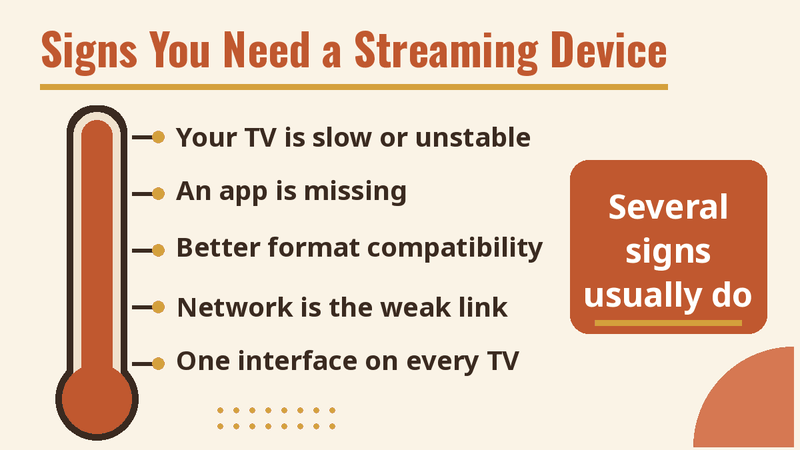
Your TV Is Slow or Unstable
Long startup times, delayed remote responses, frozen menus, and repeated app crashes often point to limited processing power, memory, or storage. First, install available system and app updates, restart the TV, and remove unused apps. If performance remains poor, a newer streaming device can provide a more responsive interface while letting you keep the same television.
An App Is Missing or No Longer Supported
App availability varies by television platform, model, country, and service. Even when a service once supported your TV, later app versions may require newer software or hardware. Confirm that the app is available on the exact streaming device you plan to buy, in your region, before treating it as a solution.
You Need Better Format Compatibility
An external player may help when your TV platform does not support a required video codec, HDR format, frame-rate option, or audio output mode. This matters most with local media libraries, home theatre systems, and premium streaming plans. Check the specifications for the exact device generation because similar-looking models can support different formats.
Your Network Connection Is the Weak Link
Buffering does not automatically mean the TV is underpowered. Congested Wi-Fi, a distant router, interference, or an overloaded internet connection can produce the same symptoms. A streamer with stronger wireless hardware or built-in Ethernet may improve reliability, but test the network first. Moving the router, using a less congested Wi-Fi band, or connecting the TV by cable may solve the problem without a purchase.
You Want One Interface on Every TV
Households with different television brands often face different menus, app layouts, and remote controls in each room. Using the same streaming platform across several TVs creates a more consistent experience. Profiles, watchlists, voice commands, and app placement can feel more familiar, although synchronisation varies by platform and app.
Smart TV vs. Streaming Device: Which Fits Your Setup?
| Decision factor | Smart TV apps are usually enough | A streaming device is usually better |
|---|---|---|
| Performance | Menus and apps remain quick and stable | The interface lags, freezes, or crashes |
| App support | All essential apps are available | An essential app is missing or unsupported |
| Picture and sound | The TV platform supports your required formats | The streamer adds a format your full setup can use |
| Network | Built-in Wi-Fi or Ethernet is reliable | You need stronger connectivity or a better Ethernet option |
| Convenience | You prefer one device and the TV remote | You want a consistent platform across multiple TVs |
| Cost | You have no meaningful software limitation | A modest upgrade can extend the TV’s useful life |
Should You Buy a Streaming Stick or a Streaming Box?
A streaming stick is best for basic app access, portability, and a lower price. A larger streaming box is more appropriate when you need faster hardware, more storage, Ethernet, extra ports, broader home theatre support, or more demanding local playback.
Choose a device based on the limitation you are solving:
- For a missing app: Verify that the exact app supports the device and your country.
- For slow menus: Prioritise processor performance, memory, and a platform with ongoing updates.
- For buffering: Look for reliable dual-band Wi-Fi or Ethernet, but diagnose the home network first.
- For 4K HDR: Match the device’s HDR formats to the TV and the services you watch.
- For a soundbar or receiver: Check Dolby and passthrough support across the device, TV, audio equipment, and HDMI connections.
- For IPTV playback: Confirm that your preferred player app is available and that the device can handle the stream formats you use.
Do not buy solely because a product page lists 4K. Resolution is only one part of the experience. App support, update history, network options, storage, remote design, advertising preferences, and format compatibility can matter more in daily use.
How Can You Test Your Smart TV Before Buying Anything?
Spend a few minutes separating a TV problem from an app, internet, or settings problem. This prevents a new streamer from becoming an unnecessary workaround.
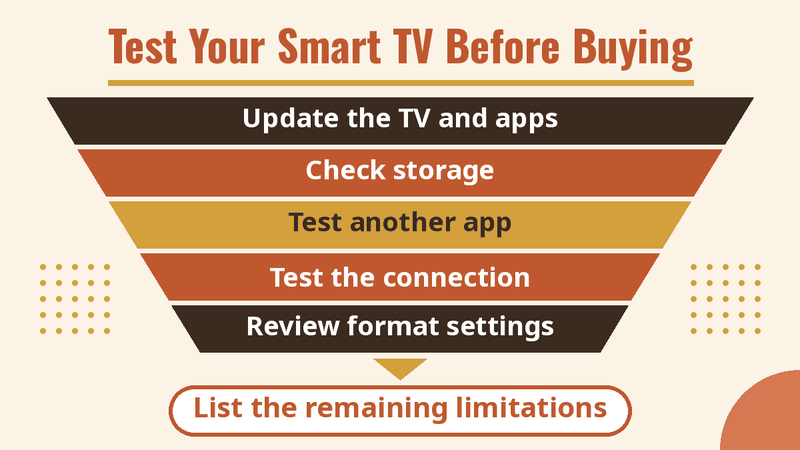
- Update the TV and apps. Install available firmware and app updates, then restart the television.
- Check storage. Remove apps you no longer use and clear cache data when the TV provides that option.
- Test another app. If only one service has trouble, the app or service may be responsible.
- Test the connection. Compare Wi-Fi with Ethernet when possible, and check whether other devices buffer at the same time.
- Review format settings. Confirm that the correct HDMI input, enhanced video mode, audio output, and content-matching options are enabled.
- List the remaining limitations. Buy a streamer only when its documented features address those specific gaps.
Can You Use Both Without Making the Setup Complicated?
Yes. Many people use an external streamer for everyday viewing while keeping built-in TV apps as a backup. HDMI-CEC can let a compatible streaming remote control basic TV functions such as power, volume, and input selection, although reliability and available controls vary among devices.
Connect the streamer to an HDMI input that supports the features you need. Some televisions enable their best 4K or HDR modes only on particular inputs or after an enhanced HDMI setting is turned on. If a soundbar or receiver sits in the signal path, it must also support the selected video and audio formats.
Frequently Asked Questions
Does a smart TV need a streaming device?
No. A smart TV does not need a separate streaming device when its built-in apps are supported, responsive, and compatible with your preferred services and formats. A streamer is an optional upgrade to the software experience.
Will a streaming device improve picture quality?
It can improve format compatibility or app performance, but it cannot exceed the TV panel’s physical resolution, HDR capability, or overall image quality. The content, app, streamer, HDMI path, and television must all support the desired format.
Can a streaming device stop buffering?
It may help when the TV has weak Wi-Fi hardware or limited processing power. It will not fix an overloaded internet connection, poor router placement, service congestion, or a low-quality source. Test the network before replacing hardware.
How long should a smart TV’s apps last?
There is no universal support period. App availability and updates depend on the TV platform, manufacturer, model, region, and streaming service. A separate streamer can extend the useful life of a television when its display still works well but its app platform has aged.
Is a streaming box better than a streaming stick?
A box is often better for Ethernet, storage, ports, and demanding playback. A stick is usually sufficient for mainstream streaming apps, basic 4K viewing, portability, and a simpler budget upgrade.
The Bottom Line
Keep using your smart TV when it is fast, stable, and compatible with everything you watch. Add a streaming device when it solves a specific limitation, such as missing apps, sluggish software, inadequate storage, unreliable connectivity, or unsupported formats. The best upgrade is the one that fixes a real problem without paying for capabilities your television or content cannot use.