Yes, IPTV is legal on Firestick in the US when you use a licensed service. The Firestick and a generic player app are legal tools. The service that supplies the channels is what decides whether the setup stays within copyright law. Licensed apps from companies that pay for distribution rights are lawful to install and watch. Unlicensed services that resell channels without those rights infringe copyright. This guide explains the difference, how US copyright rules apply, how to check a service, and which legal live TV apps run on Fire TV, so you can choose a setup with a clear legal basis.
What Does Legal IPTV on a Firestick Mean?
Legal IPTV on a Firestick means you watch television delivered over the internet through a service that holds the rights to those channels. IPTV is a delivery method, not a legal category of its own. The same technology is used by licensed live TV apps and by unlicensed resellers.
A lawful setup has three separate parts, and only one of them raises a rights question:
- The device: a Fire TV Stick, often called a Firestick, is a legal streaming box sold by Amazon.
- The player app: a generic player displays a playlist or opens a branded live TV app. The player does not include channels by itself.
- The service: the company that sends the streams must have a license from the rights holders for the programs it offers.
The accurate question is whether the service is licensed, not whether internet-delivered TV or the Firestick is allowed.
Is the Firestick Itself Legal to Use for IPTV?
Yes, the Firestick is legal to own and legal to use for IPTV in the US. Amazon designed Fire TV to run streaming apps, and installing a player from the Amazon Appstore is a normal use of the device. On Fire OS models, the system can also install an app from outside the Appstore after you allow a specific installer. That permission is a device feature, not a legal judgment about the content you later add.
Generic players such as IPTV Smarters and TiviMate are legal software. They read an M3U playlist or an Xtream Codes login and display whatever the service sends. Installing a player does not make the Firestick an unlicensed service.
A different problem arises when a seller offers a Firestick that already includes an unlicensed channel list, sometimes described as fully loaded. The hardware is still legal. The preloaded service is the issue, because the channels were added without a license from the rights holders. Buy the device from a regular retailer, install official apps from the Amazon Appstore, and judge the service on its rights, not on the stick.
What Is the Difference Between Licensed and Unlicensed IPTV?
A licensed IPTV or live TV service pays the networks and other rights holders for permission to stream their channels to subscribers. An unlicensed service captures or copies those channels and resells access without that permission. The picture on the screen can look similar. The rights behind the stream are not.
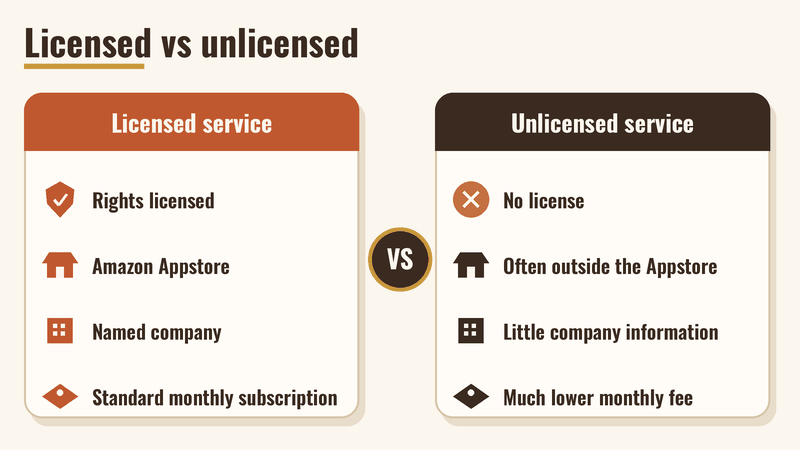
Use the table below to separate the two.
| Feature | Licensed service | Unlicensed service |
|---|---|---|
| Channel rights | Licensed from the networks | No license from the rights holders |
| Where you install the app | Amazon Appstore | Often outside the Appstore |
| Company information | Named company with public terms | Little public company information |
| Typical fee | Standard monthly subscription | Much lower monthly fee |
| Lineup | A defined US channel list | A very large mixed lineup |
| Support and continuity | Official support and a stable app | Can disappear without notice |
Price alone is not proof, but a very low monthly fee paired with a huge mix of premium and international channels is a warning sign. A professional-looking website does not turn an unlicensed reseller into a licensed distributor. Look for a real company, an official app, and a published lineup.
How Does US Copyright Law Apply to IPTV?
US copyright law treats television programs, movies, and live events as protected works. A service that publicly streams those works without permission from the rights holder is committing copyright infringement. The Firestick you use to watch the stream does not change that rule.
The Copyright Act gives the rights holder control over copying, distribution, and public performance of the work. If a commercial service sends you a live channel with no license, that public performance and distribution is unauthorized.
The Digital Millennium Copyright Act, often called the DMCA, adds a practical enforcement path. A rights holder can send a takedown notice to a hosting company, a platform, or a payment processor used to offer the infringing streams. That is a major reason an unlicensed service suddenly changes its web address or vanishes.
In 2020, the Protecting Lawful Streaming Act raised the criminal penalty for people who willfully run a commercial service whose main purpose is to stream copyrighted works without authorization. That law is aimed at providers, not ordinary users, and it does not make the Firestick illegal.
Civil copyright law is broader than the criminal rules. A rights holder can seek statutory damages for infringement, with amounts set by federal law, commonly from $750 to $30,000 per work, and up to $150,000 per work for willful infringement. Those figures describe what the statute allows, not what typically happens to a household viewer. This guide is general information for US viewers and is not legal advice. A qualified attorney can advise on a specific situation.
Who Faces the Legal Risk, Operators or Viewers?
The main legal risk sits with the people who run and sell an unlicensed IPTV service. They distribute the streams, collect payment, and operate without the required licenses, which is the commercial activity the 2020 law addresses.
Individual viewers are rarely the focus of enforcement in the US. That fact does not make unlicensed viewing legal. Watching a stream that was sent without authorization can still be copyright infringement. Rights holders usually spend their effort on the operators and the payment paths, not on a typical household Firestick.
Viewers still face real practical problems when they use an unlicensed service:
- Sudden shutdown: a takedown or a lost payment processor can take the service offline without warning, and the subscription you paid for may end the same day.
- Payment risk: fees often go to an unknown seller, with little recourse if the service disappears.
- Unofficial apps: installer files from outside the Amazon Appstore can be altered or unsafe.
- Copyright notices: some internet providers forward notices they receive from rights holders. A notice is not the same as a lawsuit, but it is a warning that the activity was detected.
This is a reason to prefer a licensed service, not a reason to treat unlicensed viewing as risk-free.
How Can You Tell Whether an IPTV Service Is Licensed?
You can usually tell a licensed service from an unlicensed one by checking the app store, the company, the lineup, and the payment path before you subscribe.
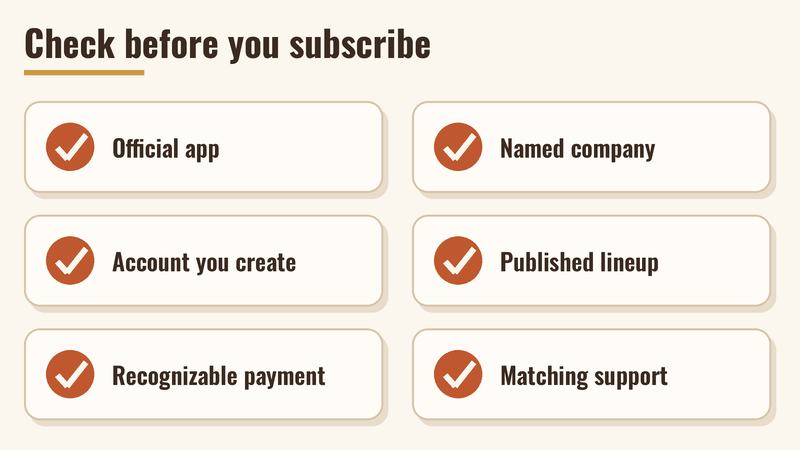
- Official app: the service has its own app in the Amazon Appstore, listed under the company name, such as YouTube TV, Sling, or Pluto TV.
- Named company: you can identify the business, and it publishes terms of use and a privacy policy.
- Account you create: you sign up with that company and sign in through its official app, not through a shared playlist sent by a stranger.
- Published lineup: the channel list is public and looks like a normal US package, not every premium and international channel in one huge list.
- Recognizable payment: the charge goes to that company, not only to a personal payment account.
- Matching support: help pages and customer support use the same company name as the app and the bill.
If a seller asks you to install a generic player and then sends an M3U URL or Xtream Codes login for a massive worldwide lineup at a bargain fee, treat that as an unlicensed service. A free trial of a named, Appstore-listed company is a different situation from a cheap login sold by an unknown reseller.
Which Legal IPTV and Live TV Apps Work on Fire TV?
Several licensed live TV and free streaming apps have official listings in the Amazon Appstore and run on Fire TV, including the Firestick. You install the official app, create or sign in to your account, and watch inside that app.
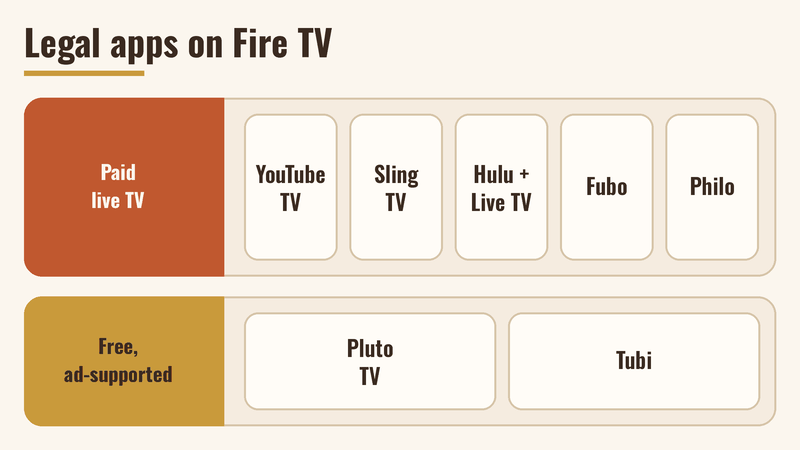
The table below summarizes common legal options. Plan details change, so confirm the current lineup and fees inside the official app or the site of the service before you subscribe. This article does not list prices.
| App | Type | What You Get |
|---|---|---|
| YouTube TV | Paid live TV | Live channels, local stations in many markets, cloud DVR |
| Sling TV | Paid live TV | Smaller live TV packages and optional add-ons |
| Hulu + Live TV | Paid live TV | Live channels plus the Hulu on-demand library |
| Fubo | Paid live TV | Live channels with a strong live sports mix |
| Philo | Paid live TV | An entertainment-focused live channel lineup |
| Pluto TV | Free, ad-supported | On-demand titles and some live channels |
| Tubi | Free, ad-supported | A large free movie and series library |
YouTube TV, Sling TV, Hulu + Live TV, Fubo, and Philo are paid live TV services with official Fire TV apps. They differ in lineup size, local stations, and live sports. Philo focuses on entertainment channels, while Sling is built around smaller base packages and add-ons. Hulu + Live TV also includes the on-demand Hulu library.
Pluto TV and Tubi are legal free options supported by ads. They offer on-demand titles and some live channels, and they do not replace a full paid live TV package, but they are a sound free starting point on a Firestick.
What Problems Come With an Unlicensed IPTV Service?
An unlicensed service can fail in ways a licensed app usually does not. The most common problem is that the service disappears. After a takedown notice or a lost payment processor, the seller may go silent, the playlist may stop loading, and there is no official support line to fix it.
Quality is often unstable as well, with sudden resolution drops, missing guide data, or channels that vanish from the list. A login or an installer file from an unknown seller can also expose your payment details or put a modified app on the Firestick. Licensed apps from the Amazon Appstore come from the official listing of the company, which is a safer path than a file sent in a message.
These practical problems sit on top of the copyright problem. Even when a stream works, the service is still offering channels it does not have the right to sell. Choosing a licensed app avoids both the legal issue and the sudden dead playlist.
FAQs
Is IPTV legal on Firestick in the US?
Yes, IPTV is legal on Firestick in the US when the service that supplies the channels is licensed. The Firestick and a generic player app are legal. Unlicensed services that resell channels without permission from the rights holders infringe copyright. Choose an official app from a named company in the Amazon Appstore.
Is it legal to install an IPTV player on a Firestick?
Yes. A generic player such as IPTV Smarters or TiviMate is legal software that displays a playlist. Installing the player from the Amazon Appstore, or from an official developer file on a Fire OS device, does not break the law. The legal question is whether the service you add to that player is licensed.
Can you get in legal trouble for watching unlicensed IPTV?
Enforcement in the US focuses mainly on the operators and sellers of unlicensed services, not on typical household viewers. That does not make unlicensed viewing legal, because watching an unauthorized stream can still be copyright infringement. This is general information, not legal advice.
How do you know if an IPTV service is licensed?
Look for an official app in the Amazon Appstore, a named company with published terms, an account you create with that company, a public and ordinary US lineup, and a payment that goes to the same company. A cheap login for a huge worldwide channel list, sent with a generic player, is a sign of an unlicensed service.
What are legal IPTV options on a Firestick?
Legal options include paid live TV apps such as YouTube TV, Sling TV, Hulu + Live TV, Fubo, and Philo, plus free ad-supported apps such as Pluto TV and Tubi. Each has an official listing in the Amazon Appstore. Install the official app and sign in with an account from that company.
What Is the Safer Choice for IPTV on Firestick?
The safer choice is a licensed service with an official Fire TV app. The Firestick is legal, generic player apps are legal, and internet-delivered TV is legal. The line is the service. If you want live TV, use a licensed app such as YouTube TV, Sling, Hulu + Live TV, Fubo, or Philo. If you want a free starting point, use Pluto TV or Tubi. Skip unknown logins and preloaded unlicensed channel lists, even when the monthly fee is much lower. This guide is general information for US viewers and is not legal advice. For advice about a specific situation, speak with a qualified attorney.