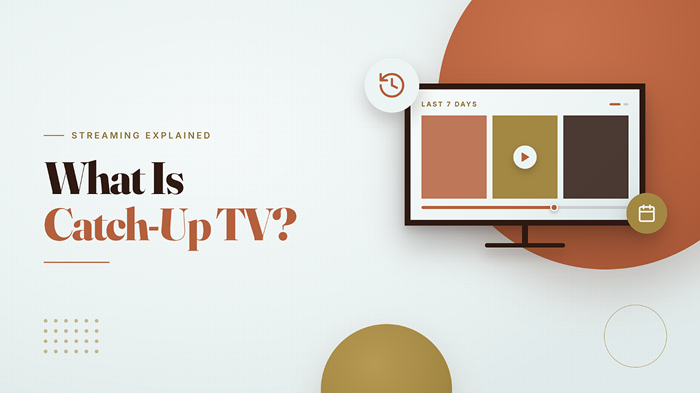
What Is Catch-Up TV?
Catch-up TV lets you watch a program after it has aired, usually by selecting it from the electronic program guide (EPG). The service keeps eligible broadcasts available for a limited time, so you can play a missed show without having scheduled a recording.
Catch-up is often labeled timeshift or time-shift TV. The terms overlap, but providers and apps may use them differently. In some services, timeshift means replaying an earlier program. In others, it means pausing or rewinding the live broadcast you are watching.
How does catch-up TV work?
The IPTV service stores selected broadcasts on its servers. In the app, you open the program guide, move back to an earlier time, and select an available program. The app then plays the archived stream, much like on-demand video.
The replay period depends on the service and channel. A program might be available for only a short time or for several days. Availability can also vary by program: a channel may support catch-up for some broadcasts but not all of them.
Catch-up depends on more than the player app. The service must retain the broadcast, the channel must have catch-up enabled, and the app needs usable guide information to identify the program and its start time.
Is timeshift the same as catch-up TV?
The labels aren’t used consistently, but these features usually work like this:
- Catch-up TV lets you select and play a program that aired earlier, while it remains in the service’s archive.
- Live TV timeshifting lets you pause or rewind a broadcast that is currently in progress. Depending on the service, the playback may resume from where you paused or let you skip forward toward the live broadcast.
- Restart TV starts a program that is still airing from the beginning, if the service offers that option.
Some providers use timeshift as a broad label for one or more of these features. Check the service’s feature description to see whether it means archived programs, live playback controls, or both.
How do you watch a catch-up program?
The exact controls vary by IPTV app, but the usual steps are:
- Open the live TV guide.
- Find the channel and move back to the date and time of the program.
- Select a program marked as available for replay.
- Choose the play or catch-up option if the app presents one.
If the guide shows a past program but it won’t play, the listing alone doesn’t guarantee that a replay is available. Catch-up may not be enabled for that channel, the program may have expired, or the guide’s schedule information may not match the archived stream.
What affects catch-up availability?
A few parts of the service need to line up for catch-up to work:
- Channel support: Catch-up may be enabled only on selected channels.
- Replay period: Archived programs can expire after a service-defined period.
- Program guide: The app needs accurate channel and schedule information to locate the right program.
- App and service compatibility: The provider must offer the feature, and the app must be able to access it.
- Connection quality: The archived stream still needs a stable internet connection to play smoothly.
When choosing a service, look for details about supported channels and how long programs remain available. A general claim that a service has catch-up doesn’t necessarily mean every channel or program is included.
How is catch-up different from recording and on-demand TV?
Catch-up and recording both let you watch something after it airs, but they work differently. With catch-up, the service has already stored eligible broadcasts, and you select one from the guide. With a personal or cloud DVR, you typically schedule a recording. DVR storage, recording limits, and how long recordings are kept depend on the service.
Video on demand (VOD) is a separate library of movies or programs that you can choose to play. Catch-up is tied to programs that aired on live TV and are still available in the channel’s replay archive.
Why might catch-up TV not work?
If a replay won’t start, check whether the channel supports catch-up and whether the program is still within its replay period. Then refresh the app’s guide or playlist if those options are available, and confirm that you selected the correct channel and program time. If only one channel or program is affected, availability or guide information may be the issue. If replays fail across the service, the provider or app may be having a broader problem.
Catch-up is useful when you want to choose a program from a recent broadcast without planning ahead. Before relying on it, check which channels support replay and how long programs stay available.