IPTV vs Cable: Which TV Service Fits Your Home?
IPTV delivers television through internet protocol networks, while traditional cable TV carries channels through a cable provider’s television network. The better choice depends on your connection, the channels you watch, your household’s viewing habits, and the complete monthly cost.
IPTV can suit households that want television through apps or connected devices. Traditional cable can suit viewers who prefer a familiar channel guide and a television connection that does not rely on home Wi-Fi. However, the details matter: managed IPTV differs from public-internet streaming, and some cable providers now use internet-based TV equipment.
What is the difference between IPTV and cable TV?
The main difference is how television reaches your screen. IPTV sends video over an IP network. Traditional cable delivers television signals through a cable network, usually to a receiver or set-top box. Both can provide live channels, on-demand programmes, and recording features.
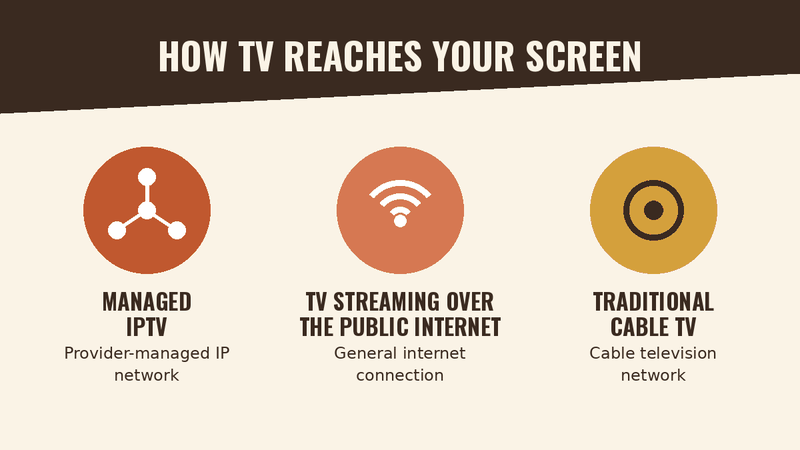
“IPTV” also needs a clear definition. In technical usage, it refers to television delivered over an IP network managed to support service quality, security, and reliability. In everyday marketing, the term often includes TV services streamed over the public internet. These delivery methods have different performance characteristics.
Three categories help make the comparison clearer:
| Feature | Managed IPTV | TV streaming over the public internet | Traditional cable TV |
| Delivery | Provider-managed IP network | General internet connection | Cable television network |
| Equipment | Usually an operator-approved box or gateway | Supported app, smart TV, or streaming device | Usually a cable receiver or set-top box |
| Connection dependency | Depends on the operator’s network and equipment | Depends on broadband and the device’s connection | Traditional channels generally do not depend on home Wi-Fi |
| Watching away from home | Depends on companion apps and subscription rules | Depends on location and household rules | Depends on companion apps and subscription rules |
| Recording | Package-specific recording features | Often cloud DVR, where offered | Box-based or cloud DVR, where offered |
| Contract | Provider-specific | Provider-specific | Provider-specific |
The categories can overlap. For example, a cable provider’s wireless TV box may receive live television through the home network without a coaxial connection at that television. The provider’s name alone does not tell you how its equipment works.
Is IPTV cheaper than cable?
IPTV can cost less than cable, but a lower television subscription price does not guarantee a lower household bill. Compare the total cost of internet, television, equipment, and the extras you need. Include any change to your broadband price when you remove TV from a bundle.
Use this calculation:
Monthly savings = current internet-and-TV total − replacement internet-and-TV total
Your comparison should include:
- The regular price after introductory offers expire.
- Equipment rental or device purchases.
- DVR, extra-screen, sports, and premium-channel charges.
- Applicable taxes and service fees.
- Installation, activation, cancellation, or equipment-return costs.
- Any broadband upgrade or additional data allowance you need.
Cable bills can include equipment and programming charges, so the complete payable amount is more useful than the advertised package price. Fee names and pricing practices vary by market and provider.
For example, suppose your current internet-and-cable bundle costs $150 per month. A replacement consisting of $90 for internet, $45 for television, and $10 in necessary extras totals $145. Those hypothetical prices produce savings of $5 per month, even though the new TV subscription appears inexpensive.
Compare equivalent viewing needs. A cheaper package that leaves out your main sports channel may require another subscription.
Which is more reliable: IPTV or cable?
Reliability depends on the service’s delivery method and the weakest part of the connection. Public-internet television relies on your broadband connection, home network, device, and streaming provider. Managed IPTV gives the operator more control over delivery. Traditional cable avoids home Wi-Fi problems for channels delivered directly through its cable connection.
A fast broadband plan does not eliminate streaming problems. Wi-Fi interference and congestion can interrupt playback even when the connection’s advertised speed looks sufficient.
Cable also experiences outages. Provider network faults can affect television, internet, or both. It should not be treated as an uninterrupted backup simply because it uses a cable connection.
For a practical comparison, test the replacement service on your main television during normal evening viewing. Use the connection and number of screens your household actually needs. An Ethernet connection can help you assess whether weak Wi-Fi is contributing to problems.
How much internet speed does IPTV need?
There is no single speed requirement for every IPTV or streaming service. Requirements depend on the provider, video quality, and simultaneous viewing. Follow the selected service’s published recommendations, and allow capacity for other household internet use.
Measure performance near the television. A speed test beside the router may not represent the connection available to a TV in another room.
For managed IPTV, ask whether the operator reserves capacity for television and whether viewing counts toward your broadband data allowance. Do not assume it works like an ordinary streaming app.
Does IPTV have better picture quality than cable?
Neither IPTV nor cable automatically delivers a better picture. Quality depends on the original broadcast, resolution, compression, service settings, and playback equipment. An advertised 4K feature does not mean every channel or programme is available in 4K.
Resolution also tells only part of the story. Compression and motion handling affect how clear fast-moving sports and detailed scenes look. A higher-resolution stream can still look disappointing when heavily compressed.
Both delivery methods can support advanced picture formats, but availability may require specific content, equipment, and subscription options.
Compare the same programme on the television you plan to use. Look at motion, dark scenes, captions, and audio synchronisation, as well as the resolution label.
Is IPTV or cable better for live sports and local channels?
The better service is the one that carries the exact games and local stations you need in your area. A large channel count does not establish that your team, competition, or local news station is included.
Check the actual channel lineup for your location and subscription tier. Confirm whether important events require a separate package and whether geographic restrictions apply.
Live delay is another consideration. Streaming services may offer settings that reduce the delay, but a smaller playback buffer can increase interruptions.
Test a live event before switching. Check whether notifications reveal scores ahead of your picture and whether playback remains stable while other household members use the internet.
Which is easier to use on multiple televisions?
Ease of use depends on device support, the interface, and subscription limits. App-based television can be convenient when your existing devices support it. A provider-supplied box can be convenient when you want a consistent remote and channel guide.
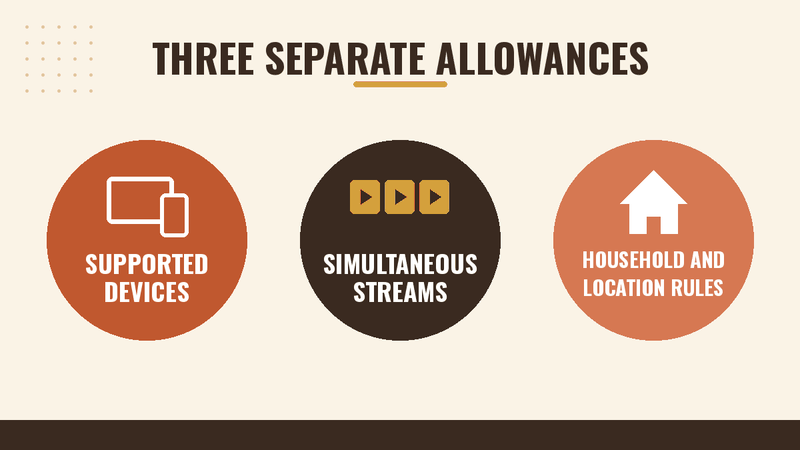
Distinguish three separate allowances:
- Supported devices: Which televisions, phones, and streaming devices can run the service.
- Simultaneous streams: How many programmes your household can watch at once.
- Household and location rules: Where those streams are permitted.
Installing an app on several devices does not establish that all of them can play simultaneously. Separate user profiles also do not necessarily provide separate stream allowances. Services may restrict household sharing and viewing locations.
Check recording features separately. Confirm storage limits, recording expiration, playback restrictions, and whether the service offers recordings or only catch-up access.
Is IPTV legal?
IPTV describes a delivery technology. The relevant issue is whether the service has permission to distribute the channels and programmes it sells. Licensed television services use IP delivery, while unauthorised sellers can use the same technology to redistribute copyrighted content.
Unauthorised IPTV networks have been shut down for distributing channels without rights holders’ consent. A working stream or paid subscription does not establish authorisation.
Before subscribing, look for a clearly identified operator, understandable terms, and credible information about its content rights. An IPTV player is playback software. Its availability does not verify the licensing of a separate subscription.
Should you switch from cable to IPTV?
Switch when the replacement carries your essential channels, works reliably on your home connection, supports your household’s screens, and offers a worthwhile total cost. Keep cable when its package and interface meet your needs better or when testing exposes problems with the replacement.
You may still use cable internet after cancelling cable television. Cable internet describes your broadband connection, while cable TV describes your television service. Ask for the standalone broadband price before calculating savings.
Before cancelling, verify the replacement on your main TV, check its regular price and cancellation terms, and confirm any equipment-return requirements with your current provider.
Choose the service that passes those checks in your home. The delivery label is only the starting point.