Does your supposed 4K stream look soft, freeze during busy evenings, or fail to show the channels you bought it for? International households also face different language editions, confusing player setup, and screen limits that are easy to overlook. A useful subscription should fit your viewing habits and equipment, with clear terms and an opportunity to check the actual content. This guide compares three options by regional focus, supported setup routes, and subscription choices. It also explains how to judge UHD availability without treating a large catalogue or a 4K label as proof of picture quality.
Quick Recommendations
The best fit depends on the exact feeds, devices, and number of people watching together. Your checks should include source resolution and evening playback on your own connection. Compare the subscription term only after the service fits those everyday needs, rather than treating UHD branding as sufficient evidence.
3 Best 4K IPTV Subscriptions Providers (Ranked & Compared)
Compare these three subscriptions by the viewing role each serves. Their order is the order of this shortlist, rather than a ranking derived from measured 4K playback.
- GoCheap IPTV: Best for lower-cost fixed terms with optional extra screen connections.
- USA LIVE IPTV: Best for American television with integrated guide and replay options.
- OrigineTV: Best for European viewing with manual renewal and playlist flexibility.
Top IPTV Providers for International Viewers: Comparison Table
Catalogue figures describe the offered selection, not a verified count of unique, working 4K streams. Availability, language editions, and resolution can vary.
| IPTV Services | Channels | VOD | Get Started |
|---|---|---|---|
| GoCheap IPTV | 20,000+ | 40,000+ | Visit Site |
| USA LIVE IPTV | 20,000+ | 136,000+ | Visit Site |
| OrigineTV | 55,000+ | 270,000+ | Visit Site |
Affiliate Disclosure: This page contains affiliate links, and we may receive a commission when you subscribe through them. The comparison is research-based. The shortlist order was predetermined, and the ratings are editorial ordering labels rather than measured playback scores.
Detailed IPTV Provider Reviews
1) GoCheap IPTV
Quick Summary
| Summary | Details |
|---|---|
| ⭐ Our Review Rating | 4.1/5 |
| 📺 Channels | 20,000+ |
| 🍿 Movies & TV Shows | 40,000+ |
GoCheap IPTV offers a relatively accessible starting point for viewers who want a short subscription before considering a longer commitment. Its $12 monthly option pairs with a 24-hour free trial, while other terms extend through a lifetime package. I included its shorter plans because they let readers compare a modest initial commitment with longer-term exposure. The service combines international channels, on-demand entertainment, a programme guide, and several device options. Its standard account permits one active connection, with additional connections available separately. A lower price does not establish better picture quality, so inspect the channels you watch rather than buying solely from the name or catalogue size.
GoCheap IPTV Features:
- Live Channels: GoCheap IPTV offers 20,000+ channels covering international entertainment, news, and live viewing categories.
- On-Demand Library: Its 40,000+ catalogue figure spans movies and television content for flexible viewing schedules.
- Extra Connections: Standard access permits one active stream, with additional connections available through separate arrangements.
- Video Selection: 4K, UHD, Full HD, and HD options depend on the content being watched.
- Sports Viewing: Live sports accompany entertainment and news, giving event-focused viewers another category to evaluate.
- Device Compatibility: Smart TVs, PCs, iOS devices, and Android devices support viewing through suitable applications.
- Programme Listings: Real-time EPG support helps viewers browse schedules rather than relying only on channel names.
- Customer Assistance: Support is available around the clock for questions concerning service access and setup.
- Term Options: Monthly, quarterly, half-year, annual, and lifetime choices offer different levels of subscription commitment.
GoCheap IPTV Pricing
| 1 Month | 3 Months | 6 Months | 12 Months | Lifetime |
|---|---|---|---|---|
| $12 | $26 | $46 | $70 | $200 |
Pros:
- Monthly access limits the initial subscription commitment.
- An EPG helps organise everyday television viewing.
- Additional connections accommodate separate household viewing needs.
Cons:
- Standard access restricts playback to one stream.
- Lifetime plans increase exposure to service closure.
Expert Advice
GoCheap IPTV’s standard one-connection plan suits someone moving between a TV and a phone, provided only one is playing. For two people watching different programmes, arrange extra connections before subscribing. Start with the short term if your priority is keeping the initial commitment small. The lifetime option is a payment arrangement, not evidence that the service or its current catalogue will remain available indefinitely.
2) USA LIVE IPTV
Quick Summary
| Summary | Details |
|---|---|
| ⭐ Our Review Rating | 4.0/5 |
| 📺 Channels | 20,000+ |
| 🍿 Movies & TV Shows | 136,000+ |
USA LIVE IPTV emphasises American television alongside international viewing, with an electronic programme guide and catch-up access in its package descriptions. Its longer subscriptions display monthly rates, which must be distinguished from the upfront charge for the selected term. I emphasised the guide and replay combination because those functions are useful for households following regular television schedules. The standard packages specify one connection, and extra connections require a separate arrangement. Compatible player setup includes Xtream Codes credentials and M3U playlists. The 30-day money-back guarantee should be read with its applicable conditions, and individual 4K channel availability needs checking before committing to a longer subscription.
USA LIVE IPTV Features:
- Live Channels: USA LIVE IPTV offers 20,000+ channels combining American television with wider international programming.
- On-Demand Catalogue: A 136,000+ catalogue figure covers movies, series, and other content for on-demand viewing.
- Connection Allowance: Standard packages specify one connection, while extra connections accommodate separate simultaneous viewing sessions.
- UHD Channels: 4K channels are included among package features, without establishing UHD resolution throughout the catalogue.
- Live Sports: Sporting events join news and entertainment within the service’s broader live programming selection.
- Device Support: Fire TV, smart TVs, computers, and mobile devices have compatible player setup options.
- TV Guide: An electronic programme guide accompanies live television, helping viewers identify current and upcoming shows.
- Catch-Up Access: Replay support provides access to eligible broadcasts after their original scheduled transmission time.
- Login Formats: Xtream Codes and M3U setup routes support subscription access through suitable IPTV applications.
USA LIVE IPTV Pricing
These are monthly rates for longer subscription terms, not the total upfront charge. Confirm the billing period and total payment before ordering.
| 3 Months | 12 Months |
|---|---|
| $16.65/mo | $7.99/mo |
Pros:
- American programming complements wider international television options.
- Guide information helps organise routine television viewing.
- Catch-up offers another option for eligible broadcasts.
Cons:
- One connection restricts simultaneous household viewing options.
- Longer terms require an upfront payment commitment.
Expert Advice
USA LIVE IPTV’s Windows setup supports both M3U and Xtream Codes, with the latter recommended for integrated guide access. If schedules are central to your viewing, begin with that documented login route in a compatible player. After the playlist loads, check whether the guide matches your local time and whether a desired programme has replay access. An EPG entry alone does not establish catch-up availability.
3) OrigineTV
Quick Summary
| Summary | Details |
|---|---|
| ⭐ Our Review Rating | 3.9/5 |
| 📺 Channels | 55,000+ |
| 🍿 Movies & TV Shows | 270,000+ |
OrigineTV combines European and international television with a broad on-demand selection, guide support, and replay on supported channels. Its one-connection and two-connection options address different household needs, while subscriptions renew manually. I retained it for readers who value European viewing and control over renewal rather than an automatic recurring charge. A 24-hour free trial is available for checking the programmes you intend to watch and the devices you intend to use. The practical distinction is between a supported 4K source and a lower-resolution broadcast, since a television subscription cannot turn every original feed into native UHD. Player setup and any separate app activation should also be checked before purchase.
OrigineTV Features:
- Live Channels: OrigineTV offers 55,000+ channels combining European viewing with programming from other international markets.
- On-Demand Selection: Its 270,000+ catalogue figure covers films and series, offering alternatives to scheduled broadcasts.
- Screen Options: Single-connection plans allow one stream, while two-connection packages accommodate two independent viewing sessions.
- Source Resolution: 4K picture quality depends on the original source, with lower-resolution broadcasts remaining lower-resolution content.
- Sports Programming: Live sporting events accompany regular entertainment, giving sports-focused households another viewing category to inspect.
- Player Compatibility: Fire TV, smart TVs, Apple devices, Android, and computers have compatible player options.
- Guide Information: EPG support displays programme titles and schedules, helping viewers plan their regular television sessions.
- Catch-Up Coverage: Replay is supported on eligible channels, rather than automatically covering every live broadcast.
- Manual Renewal: Subscriptions expire without automatic renewal, leaving you to decide whether to continue watching.
OrigineTV Pricing
| 3 Months | 6 Months | 12 Months | Lifetime |
|---|---|---|---|
| €34.99 | €48.99 | €67.99 | €99.99 |
Refund terms distinguish purchases before activation from activated subscriptions. Confirm the applicable conditions before payment, rather than treating a money-back label as unconditional.
Pros:
- European programming complements a wider international selection.
- Manual renewal keeps continuation under subscriber control.
- Separate screen packages address different household needs.
Cons:
- Single-connection plans restrict simultaneous playback across devices.
- Lifetime access depends on continued service operation.
Expert Advice
OrigineTV separates single-connection access from two independent simultaneous streams, while allowing installation across multiple devices. Keep that distinction in mind when moving between the TV and your phone. For a MAG box, follow the portal setup route rather than an app login intended for Android. When renewing manually, check that the chosen connection allowance still matches your household before extending the term.
How We Evaluated 4K IPTV Subscriptions
This comparison is aimed at international viewers who want UHD viewing without overlooking regional programming, player setup, or household screen allowances. The three services remain in the original shortlist order. The displayed ratings follow that order and are editorial labels, not independently calculated scores for reliability or image quality.
We reviewed provider descriptions, installation instructions, connection rules, and available commercial information. Device documentation informed the distinction between source resolution, decoder support, and television output. Reader discussions helped identify recurring questions, but promotional posts and individual reports did not establish provider performance. No direct subscription playback testing was performed.
Provider material supports descriptions of available features, not guarantees that every feature works on every channel. This review does not establish distribution rights, verify an entire catalogue, or measure uptime. A successful trial can reduce uncertainty for your setup, but it cannot guarantee future availability.
- Picture requirements: We distinguished available UHD feeds from a device simply outputting a 4K signal.
- Regional fit: We compared American, European, and international viewing roles without assuming universal access.
- Household access: We checked simultaneous-screen rules separately from device installation and player purchases.
- Commitment: We preserved subscription terms and rate units and qualified unresolved billing or policy differences.
How to Check a UHD Feed Before Committing
Evaluate the programme you intend to watch on the device and connection you will keep after subscribing.
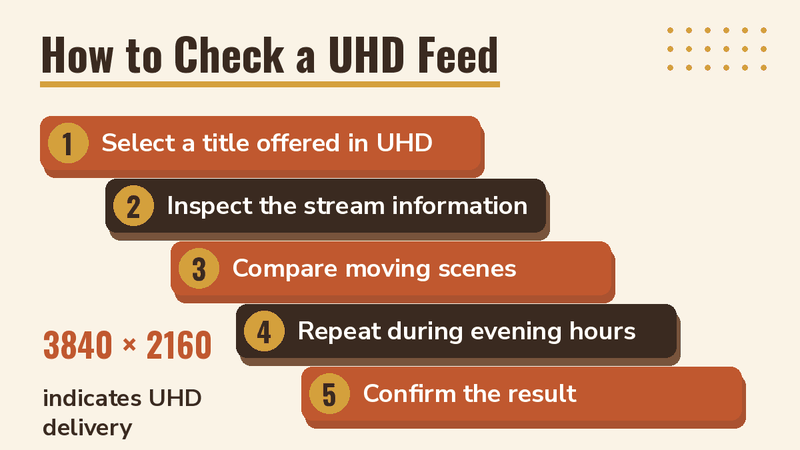
- Select a specific live channel or on-demand title offered in UHD. Check its language, regional edition, and availability in the proposed package rather than accepting a general category label.
- Inspect the player’s stream information while the programme is playing. A 3840 × 2160 stream indicates UHD delivery, but the resolution alone cannot prove the original footage was native 4K.
- Compare moving scenes as well as static detail. Look for readable text, clean edges, and stable motion, while remembering that compression and the original production affect the result.
- Repeat viewing during your usual evening hours. Keep other household activity realistic so the check reflects the network conditions you will encounter after the trial.
- Confirm the result across the content that decides your purchase. One sharp film does not establish the quality of live television, and one working channel does not establish the entire line-up.
Match Your Player and Hardware to the Stream
A 4K television is only one part of the playback chain. The app must accept the provider’s login or playlist format, and the device must decode the stream’s video and audio formats at the required resolution. HEVC support is relevant to many UHD streams, but the exact device implementation still determines its playback limits. If you already own hardware, identify its model and supported formats before paying for a replacement.
Keep subscription access separate from player activation. A paid player may add interface or guide features without adding channels, increasing your screen allowance, or improving a low-resolution source. For an external streaming box, check the television input, HDMI connection, and any receiver in the path. HDR is a separate capability from resolution, so a 4K service label does not establish HDR support. Choose the compatible setup that fits your equipment, then evaluate the actual picture and sound before buying optional app upgrades.
Plan Your Connection for Regular UHD Viewing
UHD streaming needs enough sustained bandwidth for the actual video stream, with room for other household activity. There is no single speed that guarantees every IPTV feed will work because bitrate, compression, network routing, and playback conditions differ. Check performance on the television or streaming box, rather than relying only on a speed result from a phone beside the router. A fast broadband package cannot correct every problem between the router and your viewing device.
Where your device supports it, a wired Ethernet connection is a useful way to compare playback against Wi-Fi. If wireless viewing is necessary, check performance from the actual room during normal evening activity. Downloads, cloud backups, and other streams share the connection, so a quiet daytime test may give an incomplete picture. Keep an HD alternative available if a particular UHD feed becomes impractical. If several devices struggle with the same feed, describe that pattern to support instead of buying a faster package immediately.
Separate Subscription Length from Your Total Commitment
A short subscription is useful when you have confirmed a service’s basic fit but remain uncertain about regular playback. Longer terms reduce how often you renew, while increasing the amount committed before future viewing is known. A lifetime package adds another question: what happens if the service closes or changes its offer? Treat the name as a subscription term, rather than proof of permanent availability or a permanent catalogue.
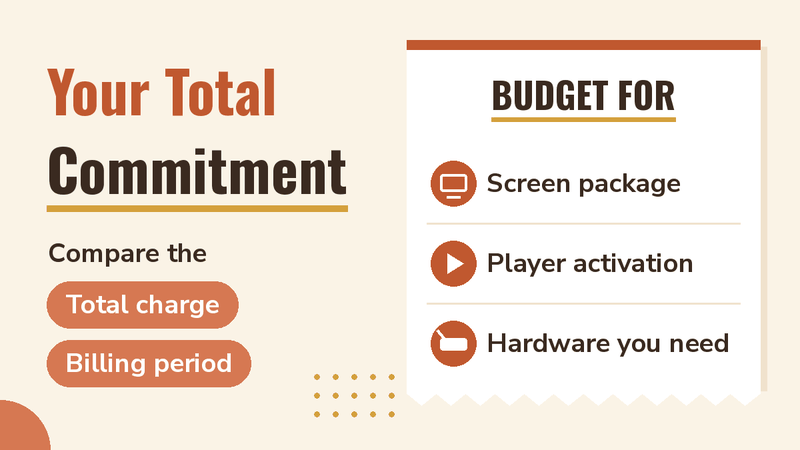
Compare the total charge and billing period rather than reading every displayed number as a monthly payment. Some services show a monthly rate for a longer term that is charged upfront. Budget for the selected screen package, any player activation, and hardware you actually need. Review the applicable refund conditions before payment, including whether activation changes eligibility. Distribution rights also need separate verification for your country. A working stream, a familiar player, or an affiliate recommendation does not establish that a provider is authorised to distribute the programmes you want.
Verdict: Best 4K IPTV Subscription
I would start by matching the shortlist to the household’s regional programmes and simultaneous viewing needs. A suitable connection package and a successful check of the desired UHD feeds are more useful buying signals than a large catalogue.
FAQs
Does a 4K IPTV subscription make every channel 4K?
No. Resolution depends on the available source and the stream delivered to your player. A package may combine HD, Full HD, and UHD feeds. Check the specific channel or title you want instead of assuming the subscription label applies to everything.
Can an IPTV player work without a subscription?
A player needs an authorised content source, such as a compatible subscription or playlist, to show the programmes you want. Buying player activation alone does not include a provider’s channels or on-demand library. Confirm which content source the app accepts before purchasing access.
Can I keep one subscription on my TV and phone?
Often, yes, but device installation and simultaneous playback are separate permissions. A one-connection account may let you switch between supported devices while allowing only one active stream. Check the selected package before two people try to watch different programmes together.
Is catch-up the same as recording?
No. Catch-up accesses a replay made available for a supported broadcast, while recording saves a programme through a compatible app or device. Either function may have limits. A programme guide entry alone does not establish that replay or recording is available.
Will a VPN guarantee better 4K playback?
No. A VPN changes the network route and adds another connection layer, so its effect varies. It cannot improve the source video’s resolution or establish content authorisation. Diagnose the connection and player first, then follow relevant provider guidance if a routing issue is identified.
Does 4K IPTV also include HDR?
Not necessarily. 4K describes resolution, while HDR concerns how brightness and colour are represented. The source, player, streaming device, and display need compatible HDR support. Check the specific feed and hardware rather than assuming UHD branding includes every HDR format.